
Every AI tool your team uses still needs you in the loop for every step. Nothing moves while you are in a meeting, asleep, or working on something else.
The smarter the tool gets, the more time you spend prompting it, and the backlog keeps growing anyway. Super Agents are built to break that cycle by owning the outcome you assign them, start to finish, the way a capable teammate would.
Key Takeaways
- A Super Agent is an autonomous AI system that orchestrates sub-tasks, tools, and even other agents to deliver an outcome end to end, rather than answering one prompt at a time.
- Salesforce (Agentforce), Airtable (Superagent), ClickUp, Genspark, and Base44 all ship products they call super agents or SuperAgents. The architectures vary widely.
- Adoption is moving fast. Gartner projects 40% of enterprise applications will embed task-specific AI agents by the end of 2026, up from under 5% in 2025.
- Reliability gets hardest with code. Faros AI found that high AI adoption correlated with a 54% rise in bugs per developer and a fivefold increase in review time. Scaffolding around the model matters more than the model itself.
What Is a Super Agent?
A Super Agent is an autonomous AI system that takes a goal, breaks it into sub-tasks, delegates those tasks to the right tools or specialist agents, and orchestrates the results into a single outcome.
In AI terminology, “agentic” means the system can plan, act, and adjust on its own rather than waiting for a human to direct each step. When something goes wrong the agent adjusts, and when it hits a decision that genuinely requires a human it escalates rather than guessing.
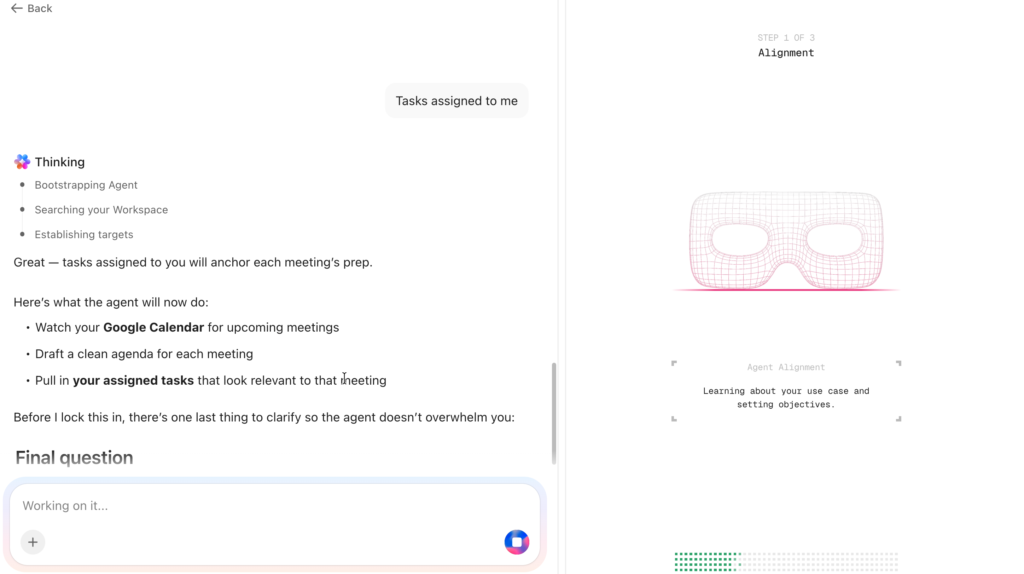
What separates it from a regular AI assistant is ownership of the outcome rather than completion of a single instruction.
No single vendor owns the term, and the implementations reflect genuinely different bets about where orchestration should live.
Salesforce built its SuperAgent into the CRM, where a central orchestrator decomposes requests and routes them to specialized delegate agents for service, sales, and commerce. That makes sense if you believe the CRM is the center of the business.
Airtable made a different bet entirely, launching its Superagent in January 2026 as a standalone multi-agent research product built on its acquisition of DeepSky. Instead of automating workflows, it deploys specialist agents in parallel to produce interactive, presentation-ready reports with cited sources.
ClickUp landed on the project workspace as the natural home, embedding Super Agents where teams already plan, track, and execute work.
Genspark went after individual consumers with a single agent coordinating nine LLMs and more than 80 tools, and Base44 went the no-code route with SuperAgent builders aimed at solopreneurs.
All are relatively different implementations, but have the same core pattern: one primary agent understands intent, plans the work, hands pieces to specialists, and reassembles the result.
Most enterprise teams are stuck between too many isolated bots and one overloaded do-everything assistant. Super Agents are the layer in between.
Gartner expects 40% of enterprise applications to ship with task-specific AI agents by the end of 2026, up from under 5% in 2025. That velocity is partly why the label now gets attached to things that do not deserve it.
If you want a quick way to tell whether something is actually a Super Agent or a chatbot in a nicer wrapper, watch what it does the moment you stop typing. An assistant goes quiet. A Super Agent keeps working toward the goal you handed it, and only interrupts you when a choice genuinely needs a human. Persistence after your last instruction is the tell.
What Makes Them “Super”? Four Capabilities That Matter
Calling something agentic is easy. Behaving like a teammate takes four capabilities working together, and when an agent disappoints in production, one of them is usually missing. Not the model. The scaffolding.
A Super Agent runs a task as a loop. It senses the context, decides on a plan, acts across its tools, then checks its own work and either loops back or escalates to a human. At scale, it orchestrates multiple loops across specialist agents and tools to deliver one unified outcome.
1. Senses the Situation
Before it does anything, the agent pulls together the request, the history, the relevant records, and whatever organizational knowledge it can reach. Ask for a campaign report and the agent should already know which dashboard to read and who touched it last.
This is where a lot of agents quietly fail. They can only reason over data that actually exists. As one reviewer put it, a team that barely fills out task descriptions will not get magic out of the AI.
Memory compounds, though, so the first week is almost always the worst week. In multi-step workflows each handoff carries the full context forward, and the agent picking up step three already knows what happened in steps one and two.
Teams that judge a pilot during that ramp-up window often kill one that would have paid off by month two.
2. Decides the Plan
Give it a goal like “cut the support backlog by 20%” and it turns that into an ordered sequence. Read the backlog, group tickets by cause, route the worst offenders, keep a fallback ready for the parts where it expects to get stuck.
If you take the time to build the correct parameters, guidelines, and definitions of success, your outputs will be much better than if you let agents think completely on their own. A little help up front goes a long way.
3. Acts Across Tools
A plan does nothing until the agent executes it. It authenticates into the systems it needs, moves data between them, and triggers the next handoff.
Fragmentation does the most damage here. When work is scattered across a dozen apps nobody owns, the agent burns its time hunting for data instead of acting. Platform consolidation matters for agents more than it ever did for humans. Reasoning, memory, and execution all need to share a surface, or the agent spends half its run assembling the picture rather than working from it.
More than 80% of organizations now expect AI agents to become the new interface to enterprise software. That expectation is already driving consolidation over bolt-on approaches.
4. Checks Itself and Recovers
Trust is earned by recovery, not perfection. The agent retries a failed sync, flags the right person before a small problem compounds, and pauses for approval before anything irreversible like a client email or a merge to production.
One subtle failure mode to watch for: a bad tool call leaves an error sitting in the agent’s context, and the model becomes more likely to repeat the mistake. That can spiral into a loop. Good self-checking means catching the loop, not just retrying the broken step.
Some platforms build this into the architecture. ClickUp auto-deactivates any agent that hits the same error more than five times in a week and emails the creator. Salesforce routes failures through its enterprise trust layer and audit logs. The mechanism varies, but the principle is the same: the system should catch a runaway agent before you do.
At scale, these four capabilities combine into orchestration. Instead of running every step inside a single model call, the agent routes sub-tasks to the right specialist, whether that is another agent, a connected tool, or a human approver, and synthesizes the results into one outcome.
How Do Super Agents Compare to Ordinary AI Agents?
Once you understand the loop, the distinction from regular agents gets clearer. A chatbot gives you an answer and waits. A Super Agent takes the goal and keeps moving until the work is done or it needs a decision only you can make.
| What you are comparing | Ordinary AI agent | Super Agent |
|---|---|---|
| Who drives | You, prompt by prompt | The agent, against a goal you set |
| Scope of a job | A single task | A multi-step workflow across systems |
| Memory | Forgets after the session | Persists and builds over time |
| When something breaks | It stops or asks you to retry | It retries, replans, or escalates |
| Tool use | One model or endpoint | Orchestrates many tools and sub-agents |
| Your role | Operator | Reviewer and decision-maker |
A warning belongs next to the enthusiasm, though. Gartner expects more than 40% of agentic AI projects to be scrapped by the end of 2027, undone by spiraling costs, fuzzy value, and thin risk controls.
Out of the thousands of vendors waving the agentic banner, those same analysts reckon only around 130 are building the real thing. Everyone else is repackaging old chatbots and scripts. The category is genuine. The label alone is not a reason to trust a tool.
Who Builds Super Agents? The Current Landscape
Which brings up the obvious question: who is actually building the real thing? Several vendors now ship products they call super agents or SuperAgents, but the architectures and target users look nothing alike.
Salesforce (Agentforce) embeds its SuperAgent inside the CRM. A central orchestrator decomposes requests and routes them to specialized delegate agents for service, sales, and commerce. AI Studio provides a visual builder for creating and customizing agents.
Orchestration is strong, but context is limited to CRM records, cases, and Salesforce objects. Teams that need agent visibility into project management, docs, or chat outside the CRM will need additional integrations. Pricing is enterprise-grade and bundled into plans, with per-agent-run costs not publicly broken out.
Airtable (Superagent) went a different direction entirely. Launched in January 2026 and built on its acquisition of DeepSky, Airtable’s Superagent is a standalone multi-agent research product rather than a workflow automation tool.
A coordinating agent plans the work, deploys specialist agents in parallel, and synthesizes their output into interactive reports with citations from sources like FactSet, Crunchbase, and SEC filings. Strongest for complex research, competitive intelligence, and financial analysis. Less suited for operational workflows like ticket routing or standup summaries.
ClickUp puts its Super Agents inside the workspace where teams already plan, track, and execute work. Agents live as assignable users with persistent memory, scoped permissions, and access to tasks, docs, chat, and connected integrations.
A no-code builder and a library of over 650 prebuilt templates cover workflows across engineering, PM, marketing, sales, and productivity. The Codegen Agent handles coding tasks from ticket to pull request, sharing the same credit pool as workspace agents.
Genspark built a consumer-facing version that coordinates nine large language models and more than 80 integrated tools under a single agent. Multi-model rather than multi-agent, handling research, slides, and calls for individual users. No workspace integration, no custom agent builder, no team-level orchestration.
Base44 targets solopreneurs with a no-code SuperAgent builder. Agents automate standalone business tasks without connecting to project management platforms. Growing template library, but early-stage, and orchestration across multiple agents is limited.
Each vendor bets on a different home for the orchestration layer. Salesforce embeds it in the CRM, Airtable runs it as a standalone research engine, ClickUp puts it inside the project workspace, Genspark wraps it in a consumer app, and Base44 keeps it simple for solo operators.
What Are Super Agents Good For?
Knowing who builds them is one thing. Knowing where they actually land is another.
Super Agents land fastest on the work nobody wants to own but everybody depends on. The weekly report that eats three hours of tab-switching. The escalation workflow someone has to rebuild from scratch every quarter. Start there and the value is obvious within days. Start with something vague and open-ended and you will spend more time supervising than you save.
Teams seeing results earliest follow the same playbook. They pick the process that lives across too many tools, hand it to an agent, and review outcomes instead of assembling them.
- Customer success: An agent monitors satisfaction scores, opens a task for every unhappy response, drafts a reply, and assigns it to the right person. The team walks in to review resolutions, not triage from scratch.
- Operations: An agent pulls numbers from several tools, assembles the weekly leadership update, and delivers it on schedule without anyone remembering to build the slide deck.
- Marketing: An agent reads campaign data, drafts the brief, hands out the resulting tasks, and posts a summary where the team will see it.
- Research: Airtable’s Superagent handles this category well. Ask a competitive intelligence question and it deploys specialist agents in parallel, pulling from financial databases, SEC filings, and web sources, then synthesizes the findings into a single interactive report.
- Engineering: An agent watches pull requests, summarizes test runs, files bugs with the stack trace attached, and updates release notes when a change merges.
That last one is where the promise gets tested hardest, and where a lot of general-purpose agents quietly come up short.
The Real Test: Handing an Agent Your Codebase
Most agent work forgives a mistake. A clumsy email draft or a misrouted ticket costs a few minutes to fix. Code does not extend that courtesy.
An agent can produce a change that compiles, passes the linter, survives a quick glance, and still takes down production. The cost of being wrong is lopsided, and that raises the bar for what “autonomous” has to mean.
Faros AI studied two years of telemetry from 22,000 developers across more than 4,000 teams and published the findings in their March 2026 report, “The Acceleration Whiplash.” Where AI adoption was high, raw output went up. Task completion per developer rose 34%, and epics completed per developer rose 66%.
The damage showed up one step downstream:
- Median pull-request review time climbed roughly fivefold.
- Bugs per developer rose 54%.
- Incidents per pull request jumped 242.7%.
- Code churn ballooned 861%.
Generation got faster. Everything that verifies the generated code did not.
Faros also found the share of AI-written code being merged climbed from 20% to 60% in a single year. More machine-authored code is entering codebases that were built for a slower, human-paced rate of review, and the review system never grew to match.
In a 2026 roundup of developer discussion, someone described reviewing an agent’s pull request as being “the first human being to ever lay eyes on this code.” In a normal review the author already understands the change. With an agent’s PR, nobody has reconstructed the why yet, so the reviewer is doing that cold.
#sa-faros,#sa-faros *{box-sizing:border-box;margin:0;padding:0;font-family:-apple-system,BlinkMacSystemFont,'Segoe UI',Roboto,sans-serif;} #sa-faros{margin:2rem 0;border-radius:14px;overflow:hidden;background:#0f0f1a!important;color:#fff!important;font-size:14px;} #sa-faros .sf-head{padding:24px 24px 6px;background:linear-gradient(135deg,#0f0f1a 0%,#1a1a3e 100%);} #sa-faros .sf-title{font-size:17px;font-weight:700;color:#fff;display:block;} #sa-faros .sf-sub{font-size:13px;color:#94a3b8;line-height:1.45;margin-top:8px;display:block;} #sa-faros .sf-body{padding:8px 24px 22px;} #sa-faros .sf-group{margin-top:18px;} #sa-faros .sf-group-label{font-size:11px;font-weight:600;color:#64748b;text-transform:uppercase;letter-spacing:0.04em;margin-bottom:10px;display:block;} #sa-faros .sf-row{display:flex;align-items:center;gap:12px;margin-bottom:8px;} #sa-faros .sf-label{width:160px;flex-shrink:0;font-size:13px;color:#94a3b8;text-align:right;line-height:1.3;} #sa-faros .sf-bar-wrap{flex:1;height:28px;background:#111827;border-radius:6px;overflow:hidden;position:relative;} #sa-faros .sf-bar{height:100%;border-radius:6px;display:flex;align-items:center;justify-content:flex-end;padding-right:10px;min-width:48px;transition:width 0.6s ease-out;} #sa-faros .sf-bar.green{background:#10b981;} #sa-faros .sf-bar.red{background:#ef4444;} #sa-faros .sf-val{font-size:13px;font-weight:700;color:#fff;white-space:nowrap;} #sa-faros .sf-divider{height:1px;background:#1e293b;margin:20px 0 4px;} #sa-faros .sf-source{font-size:11px;color:#64748b;margin-top:16px;display:block;} #sa-faros .sf-source a{color:#7c5cfc;text-decoration:none;} #sa-faros .sf-source a:hover{text-decoration:underline;} @media(max-width:640px){ #sa-faros .sf-head{padding:18px 14px 4px;} #sa-faros .sf-body{padding:8px 14px 18px;} #sa-faros .sf-label{width:100px;font-size:11px;} #sa-faros .sf-val{font-size:11px;} #sa-faros .sf-row{gap:8px;} }What Good Scaffolding Looks Like
Closing that gap requires more than a smarter model. It requires scaffolding: the guardrails, execution environment, and context layer that make an agent’s code safe to trust.
A pattern that illustrates the point: an engineering manager assigns eighteen bug tickets to agents on a Thursday afternoon before a long weekend. By Monday the results look like this:
- Thirteen have open pull requests with passing CI, waiting for review.
- Four carry status notes explaining exactly where they stalled and what decision they need from a person.
- One was closed by the agent itself after it discovered the bug had already been fixed in an earlier change.
The team spent Monday reviewing rather than grinding through the queue. What made it work was the scaffolding around the model: sandboxed execution so a bad run cannot cause a production incident, an audit trail so you can see what each agent did and why, parallel coordination so many tasks run at once without colliding, and full task context so the agent works from the spec and the discussion, not just the code.
That last point is where most standalone coding tools fall short. An inline assistant sees the file and maybe a linked issue. A coding agent that lives inside a project management platform draws on the whole workspace, including the spec, the conversation, and the business context that explains why the change matters.
An autonomous agent is only as reliable as the task you specify. A sloppy ticket yields sloppy output, exactly as it would with a human contractor. Agents do not save you from vague requirements. They surface how vague those requirements were, faster than you would like.
Are Super Agents Actually Usable Yet?
So far this has been about what these agents can do in theory. The question on three separate Reddit threads is blunter: do they actually work?
Yes, within a narrower range of work than the marketing implies. Super Agents are reliably useful for structured, repeatable workflows where the inputs and success criteria are clear. Standups, status rollups, ticket routing, reporting, documentation upkeep. For open-ended creative work, ambiguous specs, or anything where the “right answer” depends on organizational context that was never written down, they still need heavy supervision.
Independent reviewers testing workspace agents report consistent blind spots across platforms.
- No PDF or transcript support: Workspace agents typically work with content that lives natively in the platform, so you cannot drop in a PDF or a meeting transcript and ask it to pull out the action items (Teamhub, 2026).
- No custom dashboard data: A question like “why did our completion rate dip last week” is outside what most workspace agents can answer (Teamhub, 2026).
- Task creation quirks: Asking an agent to “create a task” sometimes drops the text into a description rather than building proper subtasks (TaskRhino, 2026).
None of that makes these tools weak, but it does make their strengths specific. Reviewers tend to put workspace agent standup summaries around “70% accurate, needs light editing,” which is useful and also not sorcery.
Match the agent to the shape of the work. Reading a codebase, diagnosing a failing test, and producing a reviewed diff is not workspace-shaped work. It needs an agent that can run in a sandbox against real code, a different capability from the one writing your standup.
What Do Super Agents Actually Cost?
Usability aside, cost is the other filter. And comparing across platforms is harder than it should be, because every vendor now bills differently.
Per-run costs range from roughly $0.08 to $1.50 depending on the platform and the complexity of the task. Some vendors charge per credit, some bundle AI into plan tiers, and some do not publish per-run costs at all. Here is what verified pricing looks like as of June 2026.
#sa-price,#sa-price *,#sa-price *::before,#sa-price *::after{box-sizing:border-box;margin:0;padding:0;border:0;font:inherit;color:inherit;text-decoration:none;background:none;line-height:1.5;} #sa-price{margin:2rem 0!important;border-radius:14px!important;overflow:hidden!important;background:#0f0f1a!important;color:#fff!important;font-family:-apple-system,BlinkMacSystemFont,'Segoe UI',Roboto,sans-serif!important;font-size:14px!important;} #sa-price .sp-head{padding:24px 24px 18px!important;background:linear-gradient(135deg,#0f0f1a 0%,#1a1a3e 100%)!important;} #sa-price .sp-title{font-size:17px!important;font-weight:700!important;color:#fff!important;display:block!important;} #sa-price .sp-sub{font-size:13px!important;color:#94a3b8!important;line-height:1.45!important;margin-top:8px!important;display:block!important;} #sa-price .sp-tabs{margin-top:12px!important;display:flex!important;gap:6px!important;flex-wrap:wrap!important;} #sa-price button.sp-tab{padding:6px 16px!important;border-radius:20px!important;border:1px solid #334155!important;background:transparent!important;color:#94a3b8!important;font-size:12px!important;font-weight:500!important;cursor:pointer!important;transition:all 0.15s!important;font-family:inherit!important;line-height:1.4!important;display:inline-block!important;} #sa-price button.sp-tab:hover{border-color:#7c5cfc!important;color:#e2e8f0!important;} #sa-price button.sp-tab-on{background:#7c5cfc!important;color:#fff!important;border-color:#7c5cfc!important;font-weight:600!important;} #sa-price .sp-body{padding:4px 20px 20px!important;} #sa-price table{width:100%!important;border-collapse:collapse!important;margin-top:10px!important;background:transparent!important;} #sa-price th{text-align:left!important;font-size:10px!important;font-weight:600!important;color:#64748b!important;text-transform:uppercase!important;letter-spacing:0.05em!important;padding:8px 10px!important;border-bottom:1px solid #1e293b!important;border-top:none!important;background:transparent!important;} #sa-price td{padding:12px 10px!important;border-bottom:1px solid #1e293b!important;border-top:none!important;font-size:13px!important;color:#cbd5e1!important;line-height:1.45!important;vertical-align:top!important;background:transparent!important;} #sa-price tr{background:transparent!important;} #sa-price tr:last-child td{border-bottom:none!important;} #sa-price .sp-tool{font-weight:600!important;color:#f1f5f9!important;font-size:13px!important;white-space:nowrap!important;} #sa-price .sp-hi{color:#10b981!important;font-weight:600!important;} #sa-price .sp-warn{color:#f59e0b!important;font-weight:600!important;} #sa-price .sp-dim{color:#64748b!important;} #sa-price .sp-note{margin-top:12px!important;padding:12px 14px!important;background:#111827!important;border-radius:10px!important;border:1px solid #1e293b!important;font-size:12px!important;color:#94a3b8!important;line-height:1.5!important;} #sa-price .sp-note strong{color:#f1f5f9!important;font-weight:600!important;} #sa-price .sp-hide{display:none!important;} #sa-price a.sp-link{color:#7c5cfc!important;text-decoration:none!important;font-weight:500!important;} #sa-price a.sp-link:hover{text-decoration:underline!important;} @media(max-width:700px){#sa-price table{display:block!important;overflow-x:auto!important;-webkit-overflow-scrolling:touch!important;}#sa-price .sp-body{padding:4px 12px 16px!important;}#sa-price td,#sa-price th{font-size:12px!important;padding:10px 8px!important;}}All prices reflect annual billing. Verified from official sources, June 2026.
| Platform | Seat + AI Cost | Credit Price | Per Agent Run |
|---|---|---|---|
| ClickUp | $21/user/mo Business $12 + Brain AI $9 (or $40 with Everything AI) | $0.001/credit 1,500/user/mo included | 100 to 300 credits $0.10 to $0.30 |
| Asana | $24.99/user/mo AI Studio included on Advanced | 50K to 75K/mo per account (not per user) | Not published. AI Studio Plus: $150/mo for 100K extra credits |
| monday.com | $12/seat/mo Standard + mandatory credit purchase | $0.01/credit Min 2,000/mo on Standard | 8 credits per AI block ($0.08) 150 credits per agent call ($1.50) |
| Tool | Monthly Cost | Billing Model | What You Get |
|---|---|---|---|
| ClickUp (coding agent) | Included in ClickUp AI | Same credit pool as workspace agents | Ticket to PR. Full workspace context, sandbox, audit trail. |
| GitHub Copilot | $10 to $39/mo individual $19/user business | Token-based AI Credits (as of mid-2026; verify against GitHub’s current pricing page). | IDE completions, chat, coding agent, code review. |
| Cursor | $20/mo Pro $60/mo Pro+ $200/mo Ultra | Split usage pools. Daily agent users typically $60 to $100/mo. | AI-first IDE. Multi-file editing, agent mode. |
| Devin | $20/mo Desktop $80 + $40/seat Teams | Task-based. Complexity determines cost. | Autonomous agent. Hours unsupervised. |
| Claude Code | $20/mo Pro $100 to $200/mo Max | Included in Claude plan, usage-capped. | Terminal CLI. Deep reasoning, long sessions. |
The bill shifts most on the coding side. Standalone coding agents like Cursor, Devin, and Claude Code each require their own subscription on top of whatever the team already pays for project management. A ten-person engineering team running Cursor alongside Asana pays roughly $450/month before overages, split across two vendors and two invoices.
Two things only surface once agents are running at scale. First, credits are shared across your whole workspace and do not roll over. Unused credits expire at the end of each billing cycle. Second, there is no spending ceiling or overage alert by default on most platforms. A misconfigured agent that loops overnight can burn through hundreds of credits before anyone checks the usage panel the next morning. One reviewer flagged this as the most surprising gap in the billing experience.
Aim agents at work that justifies the spend, and keep an eye on the usage panel before you widen anything.
Five Beliefs About Super Agents That Do Not Hold Up
Before any of this shapes a buying decision, a handful of myths are worth clearing up.
The first is that this is engineering-only technology. It is not. Adoption is often quickest in operations, finance, HR, and customer success, where repetitive cross-system work piles up fastest.
The second is that you need pristine data before you start. You do not need perfect data. You need real data. An agent reasons over the systems you already keep and cannot conjure context that was never recorded.
Third, that these are just smarter chatbots. A chatbot returns a reply. A Super Agent pursues an outcome until it lands or escalates. The difference is persistence, not intelligence.
Fourth, that you need a machine-learning team to deploy one. No-code builders on platforms like Salesforce, ClickUp, Airtable, and Base44 let you set behavior, guardrails, and knowledge without anyone training a model.
And fifth, that agents are here to replace staff. What they actually remove is the connective drudgery: handoffs, status updates, copying data between tools. Judgment and ownership stay human. Most platforms enforce this by design, restricting agents from irreversible actions like permanently deleting records or modifying billing.
Where Super Agents Still Fall Down
Clearing up myths is not the same as clearing agents for unsupervised duty. They are not dependable without oversight yet, and treating them as if they were is the fastest way to join the 40% of agentic projects Gartner expects to get canceled.
Technical constraints
Agents still run into context and memory limits on long jobs. Transformer attention follows a U-shaped curve: facts at the start and end of a long prompt get recalled well, but the middle 40 to 60 percent drops 25 to 40 percent in recall accuracy, even on 2026 frontier models.
One engineering team found that cutting their agent's context window from maximum to 64k tokens and adding a small repo graph for on-demand retrieval pushed bug-fix accuracy from 71% to 84% while reducing inference cost by roughly five times. The answer to complex tasks is often less context, better organized, rather than a bigger window.
Models still infer missing details instead of verifying them, which is the polite phrasing for hallucination. APIs fail, data formats drift, and multi-step orchestration gets expensive. None of this is fatal, but all of it argues for building guardrails before you widen autonomy rather than after.
Organizational constraints
The organizational problems bite harder. Only about 21% of organizations report a mature way to govern autonomous agents, and 52% name data quality as the biggest barrier to deployment.
Hands-on reviews tell the same story. A 30-day test of one platform found that agent results track workspace hygiene directly. Teams with clean taxonomy, consistent statuses, and filled-in fields get useful output. Everyone else fights complexity. On G2, a verified user reported that after their platform's AI and Agents rollout, their team hit sync issues, platform slowdowns, and automations that kept breaking.
When a process lives only in one long-tenured person's head, an agent cannot help with it yet. The fix is unglamorous but reliable. Write the process down once, put the data in one place, and name an owner early, even for a single workflow.
How to Put Your First Super Agent to Work
If you have read this far and still want to try one, here is the short version: you do not need a transformation program. You need one painful, repeatable workflow and an honest definition of done.
1. Pick a builder path
Most platforms give you multiple entry points. Pick a prebuilt agent from a catalog, describe your problem in natural language and let the platform generate the configuration, or configure everything manually from the agent profile.
The natural language path feels easy, but what the builder produces depends entirely on how well you describe the workflow. A vague description generates instructions that sound right but execute poorly. Spend time on the goal statement the way you would on a job description for a new hire.
2. Scope the first workflow
Pick the workflow that takes up the most room in your head, the one you keep checking and redoing. Reporting, escalation handling, and documentation upkeep all make high-trust first projects with results you can see.
Write down the goal and the guardrails. Where may the agent act, what counts as success, and what needs a human signature? For anything touching code, this step decides everything. Then connect the data and tools the agent needs, scoped to the right permissions, and watch the credit burn on the first few runs before you widen anything.
3. Supervise, then loosen
Review the agent's activity logs for at least the first two weeks. That is the period where you will catch misunderstandings before they compound.
Most teams move through three stages. Assistive, where you trigger every run. Semi-autonomous, where schedules and triggers do. Fully autonomous, where the agent monitors, decides, and escalates on its own. That progression usually takes weeks or months, not days.
Throughout, judge the agent on what it actually shipped, not on how slick the demo felt.
For engineering work specifically, start with tightly scoped, low-risk tasks where the spec is unambiguous. Dependency bumps, small bug fixes with clear reproduction steps, gaps in test coverage. Let the agent earn a track record on work where "done" is easy to verify before you hand it anything bigger.
Frequently Asked Questions
Can someone who does not code assign work to a coding agent?
Yes. When a coding agent lives inside the workspace, a product manager or customer success lead can assign a task or tag the agent in a comment and get back a reviewed pull request with no engineer translating in the middle. Gartner expects 15% of daily work decisions to be made autonomously by 2028.
Will a Super Agent read my PDFs or analyze my dashboards?
It depends on the platform. Workspace-native Super Agents are typically limited to native workspace content, and testers report that they cannot summarize uploaded PDFs or analyze custom dashboard data. Airtable's Superagent is an exception for research use cases, pulling from external data sources like FactSet and SEC filings. For anything involving a real codebase, you need a coding agent that runs in a sandbox.
How should a team measure whether an agent is working?
Measure shipped outcomes, not activity. Count how many assigned tasks reached a reviewable, correct result without a human stepping in, and track how much review time each one took. An agent that closes ten tickets but triples your review queue is not a win.
Which vendors build super agents?
Salesforce (Agentforce), Airtable (Superagent), ClickUp, Genspark, and Base44 all ship products under the super agent or SuperAgent label. Salesforce orchestrates within the CRM, Airtable runs a standalone multi-agent research platform, ClickUp embeds agents in the project management workspace, Genspark targets individual users with a multi-model consumer agent, and Base44 offers a no-code builder for solopreneurs.
The Bottom Line
Super Agents work today for structured, repeatable workflows where the inputs and success criteria are clear. With code the bar sits higher, because a wrong answer costs more and the evidence now shows the real expense landing in review and production rather than in typing.
You want the thing that ships code to be built for shipping code, with the context, the sandbox, and the audit trail that make its work safe to trust.
If your team is ready to move past experiments and put agents on real work, explore how workspace-native agents handle it inside the place your team already plans, tracks, and ships.