
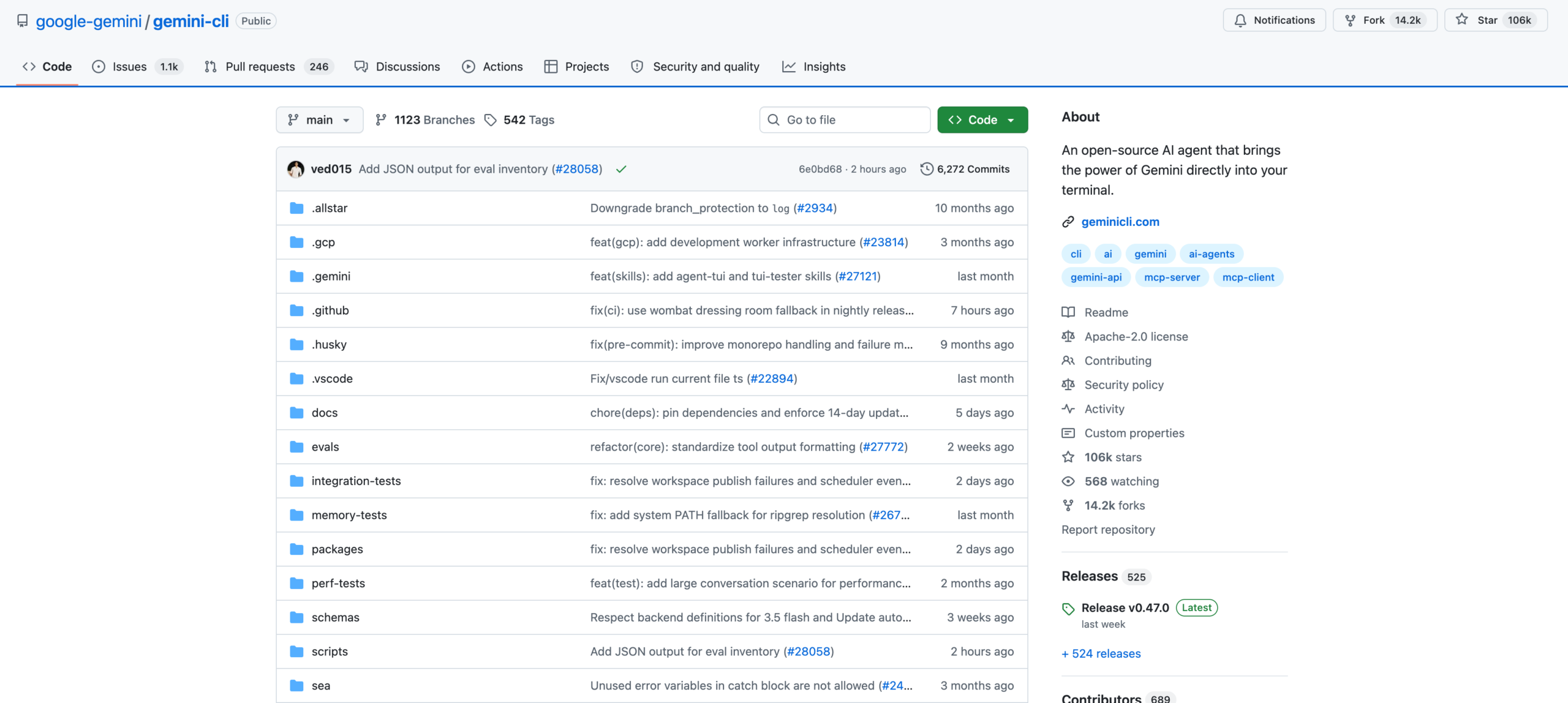
Gemini CLI is an open-source terminal coding agent built by Google under the Apache 2.0 license. Written in TypeScript, it launched in June 2025 and accumulated 104,000+ GitHub stars within a year.
Google shut down free, Pro, and Ultra access to Jules on June 18, 2026, redirecting consumer users to Antigravity CLI, a closed-source Go-based replacement.
Before the shutdown, the CLI was the only agentic coding tool running Gemini models at zero cost with the largest context window in the category. Google Search grounding let it pull live documentation and API references during execution without extra configuration.
A GEMINI.md file at the project root told the agent how the codebase was structured and which test commands to run. Same pattern OpenAI Codex uses with AGENTS.md.
The tradeoffs were real. Code output quality trailed the category leaders, and the agent drifted from instructions during longer sessions. Developers who needed precision used Claude Code for the hard problems and Gemini CLI for breadth.
Enterprise users on Gemini Code Assist licenses retain full access. Paid API authentication through Google AI Studio or Vertex AI still works at per-token rates.
Everyone else is looking at Antigravity CLI, Claude Code, or OpenAI Codex.
What can Gemini CLI do?
Where does it shine, and where does it fall short?
- The context window held full mid-sized repos in one session, matching what others charged enterprise rates to unlock.
- The only terminal agent with built-in web search, where others need MCP setup to pull live docs.
- Over 6,000 community pull requests merged in under a year, with bug fixes moving from issue to release in days rather than months.
- SWE-bench Verified scores of roughly 76% trailed Claude Code at 88%, and multi-file refactors typically needed more iteration cycles to reach mergeable quality.
- The agent did not follow instructions well. It changed code when told to analyze only, and longer sessions drifted from the original task.
- Starting March 2026, Google restricted free-tier users to Flash models and prioritized enterprise traffic. Even Pro subscribers hit 429 rate-limit errors after two or three multi-turn prompts.
Who is it for?
What does it cost?
Google announced the free tier shutdown at Google I/O 2026 and ended consumer access roughly 30 days later with no grace period. The old free plan offered 60 requests per minute and 1,000 per day.
Paid API access through Google AI Studio starts at $1.25 per million input tokens for Flash models. Pro models cost more. Enterprise contracts through Google Cloud offer custom rates and managed quotas.
Frequently Asked Questions
The source code remains on GitHub under Apache 2.0. Enterprise license holders and anyone with a paid Google API key can authenticate. Consumer-tier login no longer works.
Google's closed-source replacement, built in Go and invoked with the agy command. It supports skills, hooks, and subagents from Gemini CLI but launched without full feature parity. Quotas shifted from daily limits to weekly compute-based caps.
Google folded its developer tools under the Antigravity brand at Google I/O, saying it needed a single multi-agent platform. The backlash was sharp, especially from open-source contributors whose work now feeds a closed-source product they need enterprise licenses to use.
Claude Code produces cleaner output on complex multi-file refactors and holds instructions more reliably across long sessions. Gemini CLI's advantage was raw context size at lower cost. For code quality and precision, Claude Code leads.
There is no free option. Flash models through Google AI Studio offer the lowest per-token rates in the Gemini family. Enterprise pricing is custom through Google Cloud. Most individual developers will find the active alternatives more cost-effective.