
OpenAI Codex is an agentic coding tool from OpenAI, available across four connected surfaces. The open-source CLI is written in Rust, has over 67,000 GitHub stars, and installs via npm or Homebrew.
A desktop app for macOS and Windows, a VS Code and JetBrains IDE extension, and a cloud agent inside ChatGPT round out the system. All four surfaces share one account, one configuration file, and one set of rate limits.
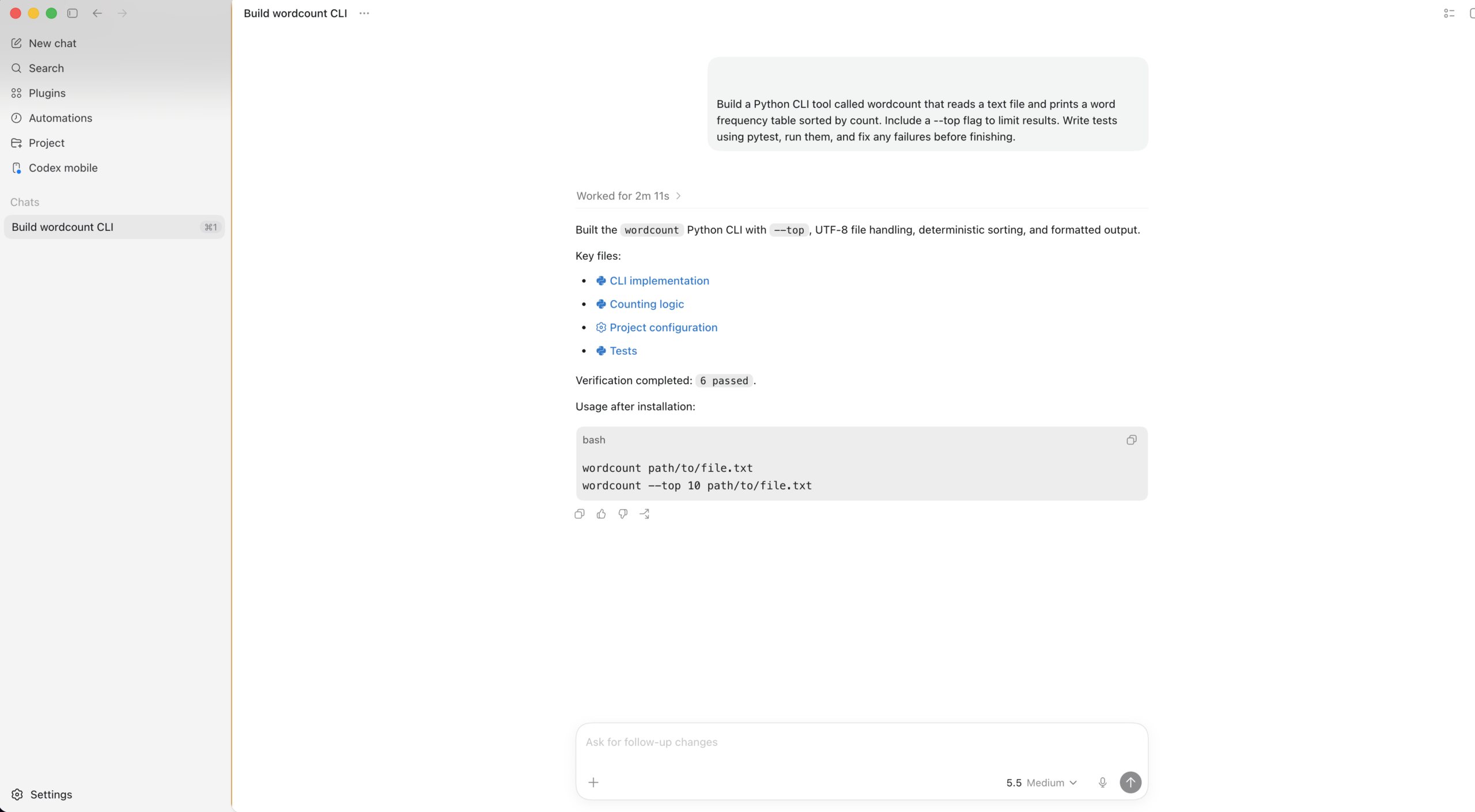
Give it a task and it clones your repo into an isolated environment, reads the codebase, edits files, runs tests, and comes back with a diff and terminal logs you can trace step by step. Tasks take anywhere from one minute to several hours depending on scope.
An AGENTS.md file at the project root tells the agent how the codebase is organized, which test commands to run, and which conventions to follow. Most teams add a new rule every time the agent repeats a mistake, which is the fastest way to train it on project-specific patterns.
Codex is not an inline autocomplete tool. It does not suggest the next line while you type and does not live inside your editor’s tab-completion flow. For that, GitHub Copilot or Cursor fill the gap. Codex works best when you describe a complete task and walk away while the agent handles it in the background.
Included with every ChatGPT plan. Free provides trial access. Plus at $20/mo covers moderate daily use. Pro starts at $100/mo (5x rate limits) or $200/mo (20x). Business and Enterprise add admin controls and compliance tooling at custom pricing.
What can OpenAI Codex do?
Where does it shine, and where does it fall short?
- Uses roughly 4x fewer tokens per task than Claude Code on equivalent work, which translates directly to more completed tasks per billing window and lower effective cost for routine operations.
- Parallel cloud execution lets teams queue 3 to 5 tasks at once, each running in its own sandboxed environment with separate git state. Queue morning tasks before coffee and review completed PRs 20 minutes later.
- The open-source CLI means teams can read every line of the agent loop, customize approval behaviors, and contribute fixes without waiting on OpenAI. Over 400 contributors have shipped changes since the April 2025 launch.
- In blind code quality comparisons, reviewers preferred Claude Code output roughly two to one. Codex prioritizes speed and token efficiency over first-pass polish, so complex refactors often need an extra review cycle before merging.
- The AGENTS.md file caps at 32 KiB by default (configurable via project_doc_max_bytes in config.toml). Instructions past the limit get silently truncated with no warning. Teams with large instruction sets need to split files across subdirectories.
- Token-based credit billing replaced per-message pricing in April 2026, but no per-task cost estimate appears before execution starts. Heavy sessions spike unpredictably because credit consumption scales with both input context and output length.
Who is it for?
What does it cost?
All rate limits run on a 5-hour rolling window, not a monthly cap. A heavy two-hour session can burn through an entire window before lunch.
The April 2026 shift to token-based billing made costs harder to predict. GPT-5.5 consumes 125 credits per million input tokens and 750 per million output. A complex multi-file refactor eats roughly 9x the credits of a small script fix, using the same task slot.
OpenAI's own published estimate puts typical power-user spend well above the Plus list price, landing between the Pro 5x and 20x tiers for most active developers.
Frequently Asked Questions
The Free plan gives trial-level access with very low rate limits. Most developers doing daily work find Plus the practical minimum. The CLI itself is free and open source, but it still needs a ChatGPT account or API key to connect to the underlying model.
Codex runs faster on routine tasks and uses significantly fewer tokens per task. Claude Code produces stronger output on complex multi-file refactors. A common pattern is running Codex for background implementation work and Claude Code for architecture decisions and code that needs to be right the first time.
Yes. Set the OPENAI_API_KEY environment variable and usage bills at standard API token rates instead of drawing from your ChatGPT plan. API-key mode skips some cloud features like GitHub PR integration but works well for local workflows and CI automation.
A markdown instruction file that lives in your repo and guides the agent on codebase structure, testing, and coding standards. You can nest separate files in subdirectories for team-specific rules, and an AGENTS.override.md in any directory takes priority over the standard file.
The desktop app launched on Windows in March 2026. The CLI runs natively with its own sandbox, though WSL2 still gives the smoothest terminal experience. All IDE extensions work cross-platform without extra setup.